The problem it solves
Frontline teams talk to hundreds of businesses a month. Most of what they hear never reaches the BID.
Paper sheets, spreadsheets and group chats lose the detail. BIDengage turns every doorstep conversation into something the BID can act on, count and report.
Without BIDengage
- Visit sheets typed up days later, if at all
- No clear view of who has and hasn't been visited this month
- Requests for help get lost between shifts
- Monthly reports built by hand from scattered notes
With BIDengage
- Visits logged on the spot, with a location stamp
- A live board showing every levy payer's status this round
- Follow-ups with owners and due dates, plus messages straight from businesses
- A board-ready monthly PDF report in one click
Stop 1 · Sign in
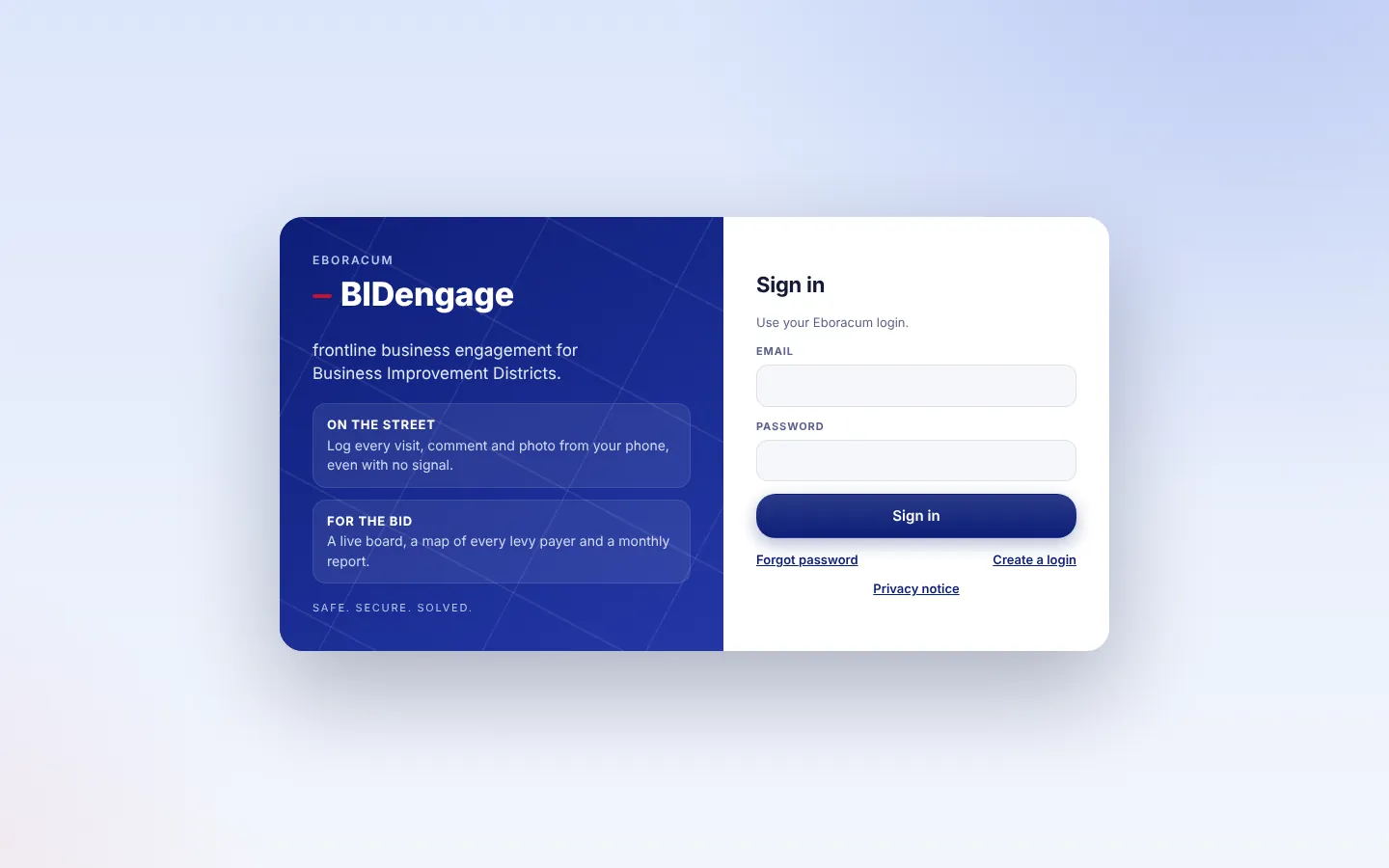
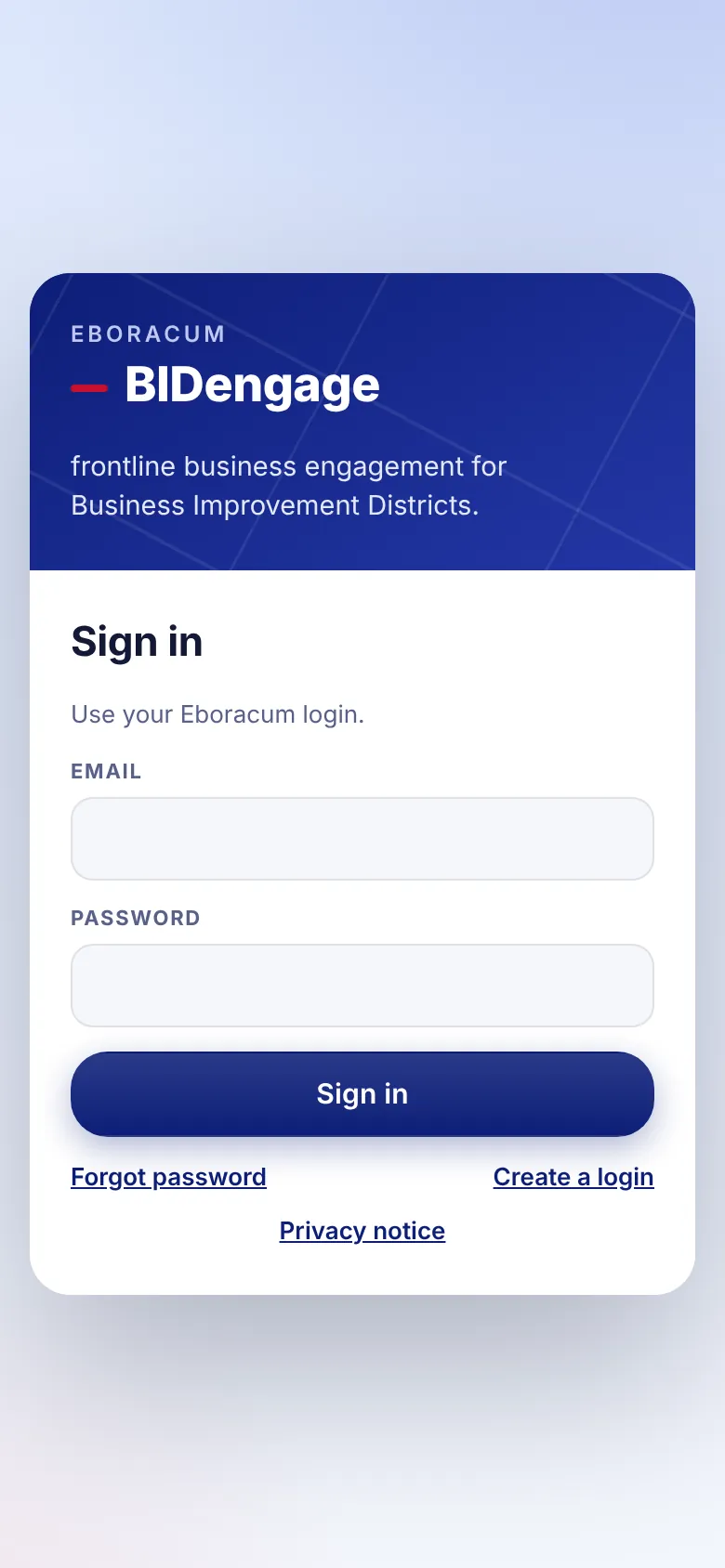
One login, the right view for each person
Managers, officers and BID staff sign in with their email. Each person sees only the BIDs they're given, and a manager can run several BIDs from one account.
For managers
- Add people from Manager tools › People and choose their role and BIDs.
- Switch BID from the name at the top left.
- Officers can add it to their phone's home screen, so it opens like an app.
Why it matters
- No app store installs or device management.
- Access can be removed the moment someone leaves.
- Team-only notes stay hidden from BID staff.
Stop 2 · The board
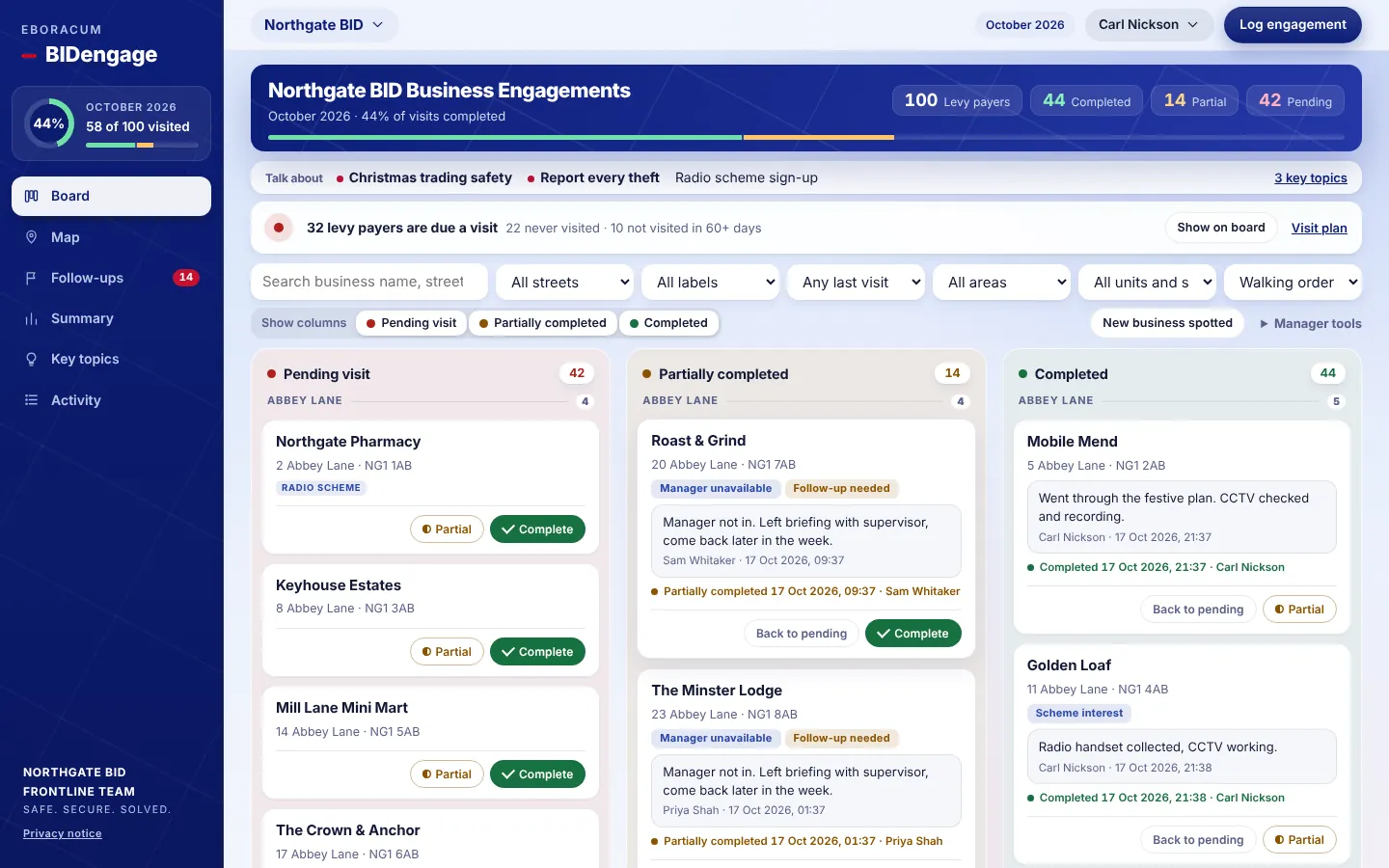
The whole patch on one screen
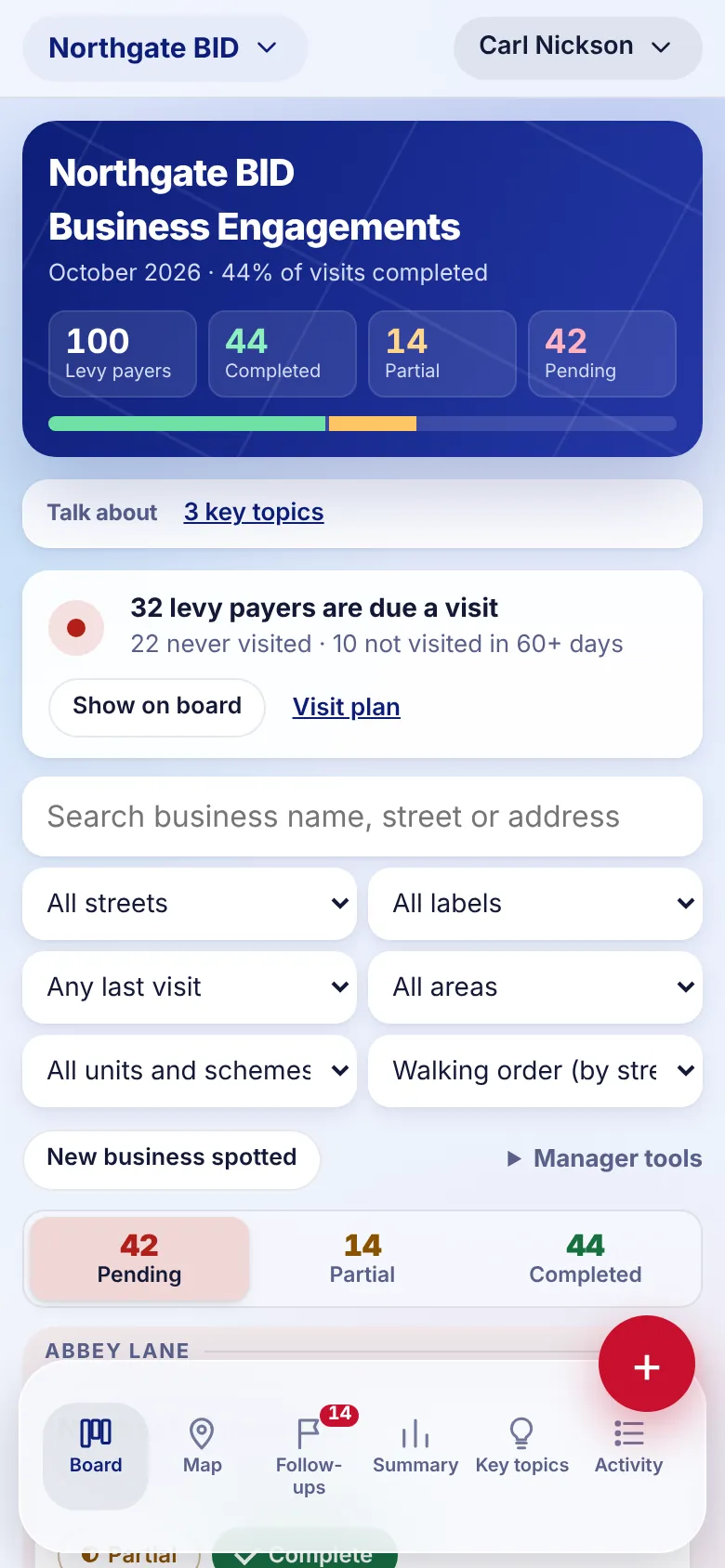
Every levy payer sits in one of three columns for the month's round: Pending visit Partially completed Completed. Streets are grouped in walking order, and the progress ring shows how far through the round the team is.
For managers
- Filter by street, label, last visit, area, unit status or scheme.
- Due a visit flags businesses never visited or not seen in 60+ days. Download a walking Visit plan for the shift.
- Officers can flag a New business spotted for you to add.
Why it matters
- No business gets forgotten. Coverage is visible at a glance.
- Each month starts a fresh round, and past rounds are kept for comparison.
- Levy payer lists import from a spreadsheet in minutes.
Stop 3 · The business card
Everything about a business, in one place
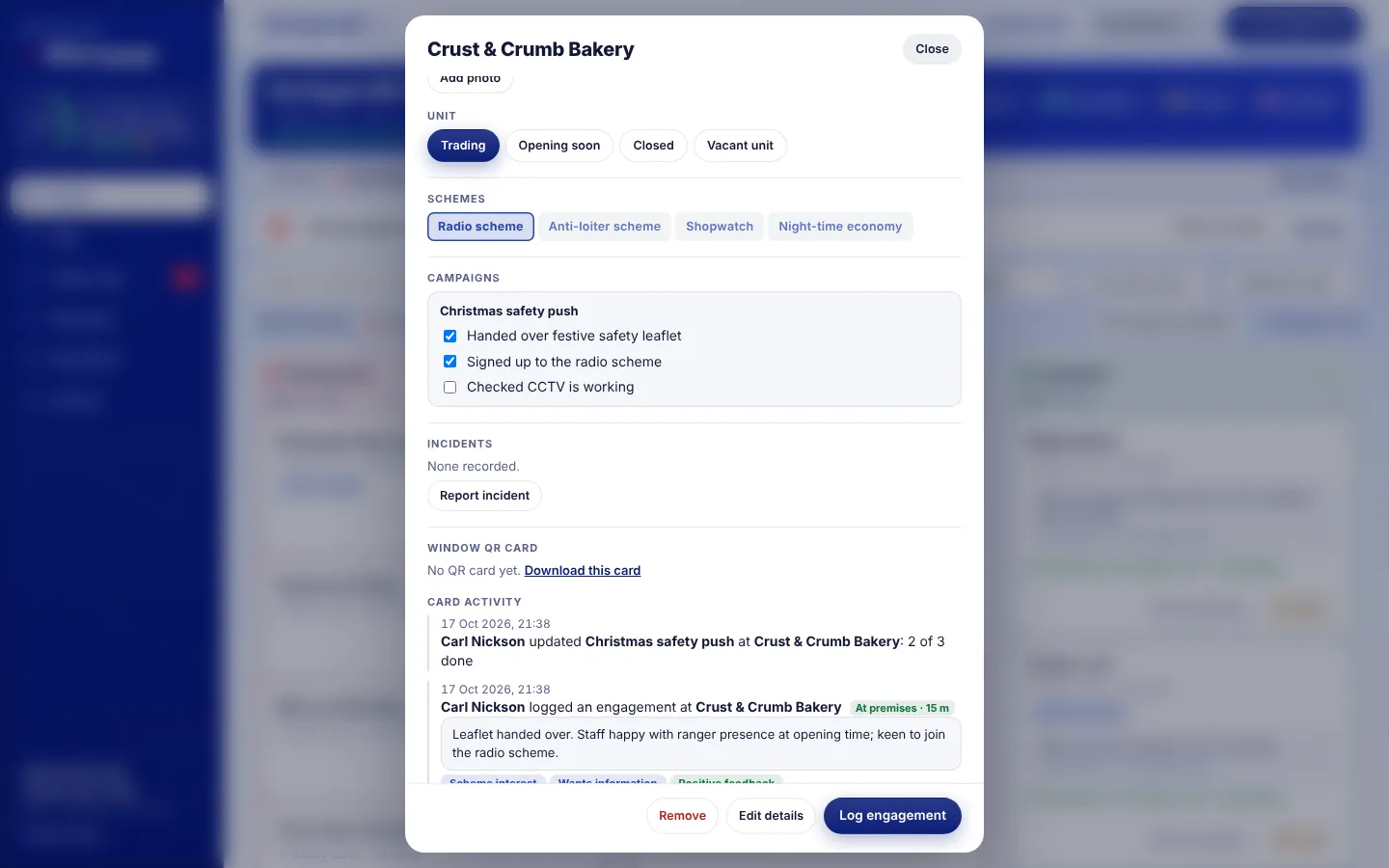
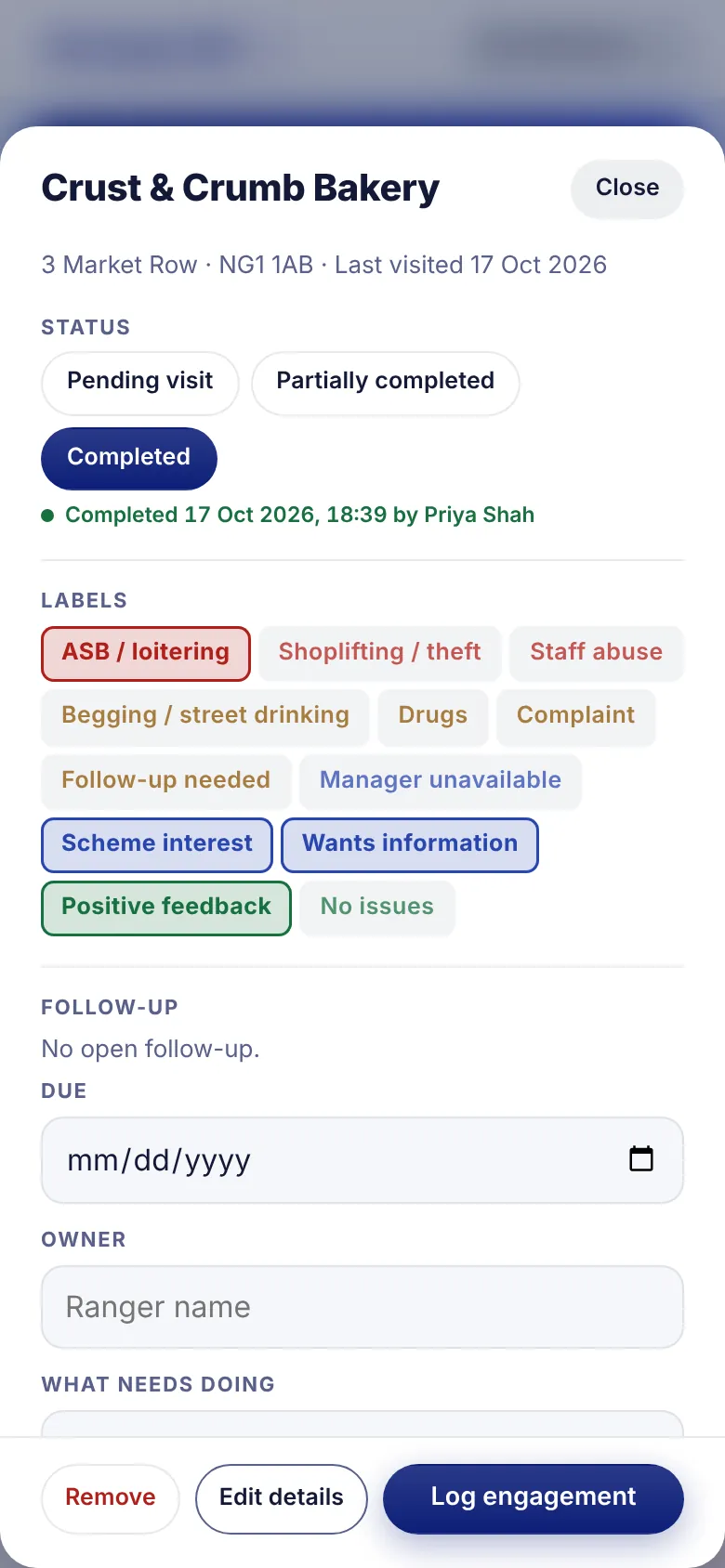
Open any business to see its full history: every visit, what was said, labels, follow-ups, photos, incidents and which schemes it belongs to. You can also mark a unit as vacant, closed or opening soon.
For managers
- Set a follow-up with a due date and owner straight from the card.
- Add photos of damage, signage or issues. They're stored securely, not in a gallery.
- Tick a business into the radio scheme, Shopwatch or any scheme you define.
Why it matters
- A new officer can pick up a relationship without starting from scratch.
- Vacant and closed units are tracked over time, giving useful high-street data.
- Scheme membership is counted automatically for reporting.
Stop 4 · Logging a visit
Thirty seconds on the doorstep
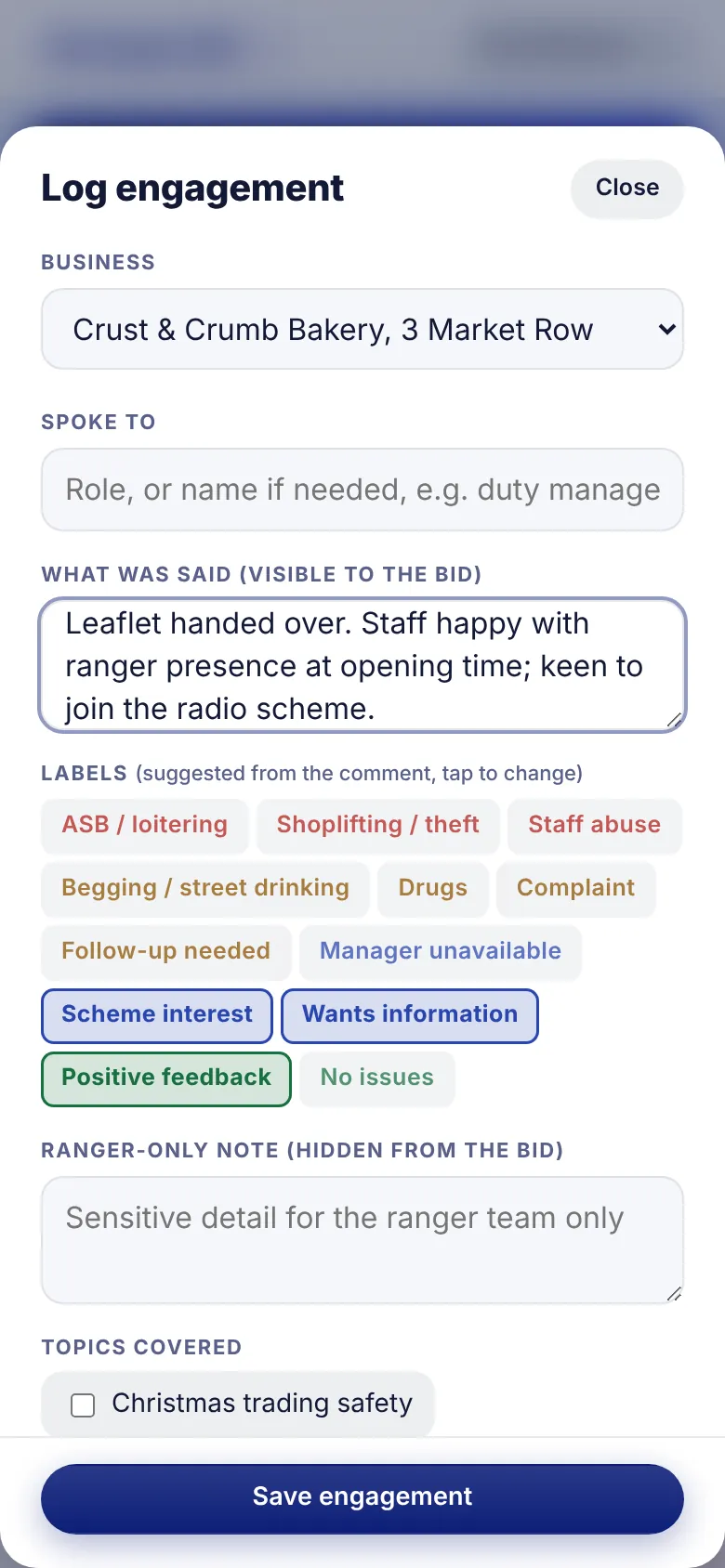
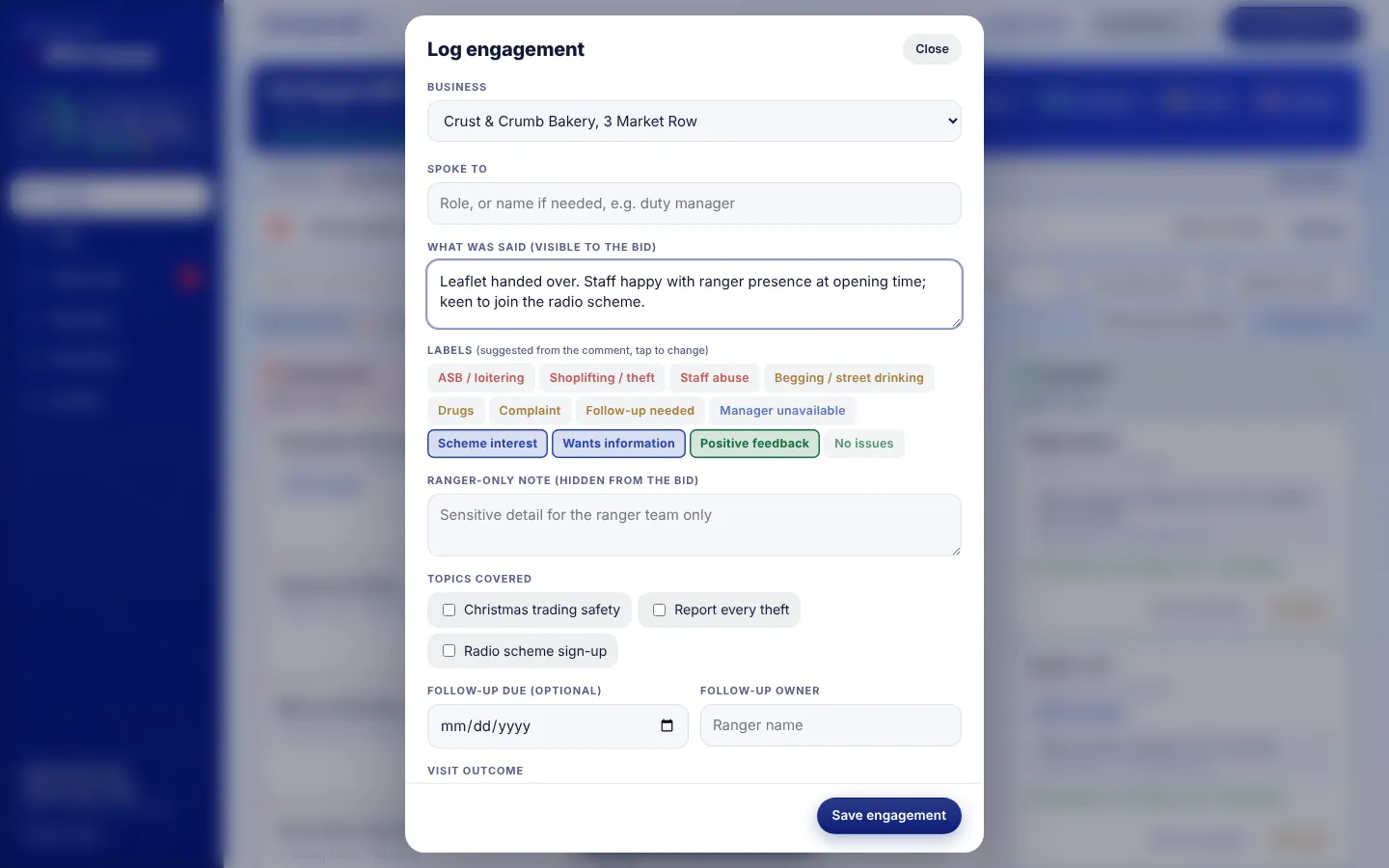
The officer taps the red plus, picks the business and types what was said. Labels such as ASB / loitering or Positive feedback are suggested from the words they type. The phone checks it's at the premises and stamps the visit.
For managers
- Each visit is marked at premises (within 80 m) or shows the distance, so you can see where it was logged from.
- Officers can keep a sensitive note visible to the frontline team only.
- No signal? Visits save on the phone and send when it reconnects.
Why it matters
- Officers log visits as they happen, not from memory at the end of a shift.
- Location stamps give the BID confidence that visits were made at the premises.
- Consistent labels make the monthly numbers meaningful.
Stop 5 · Map
See the round as a street map
Every levy payer is placed on a map from its postcode and coloured by this month's status. Gaps in coverage stand out straight away. Near me centres the map on the officer.
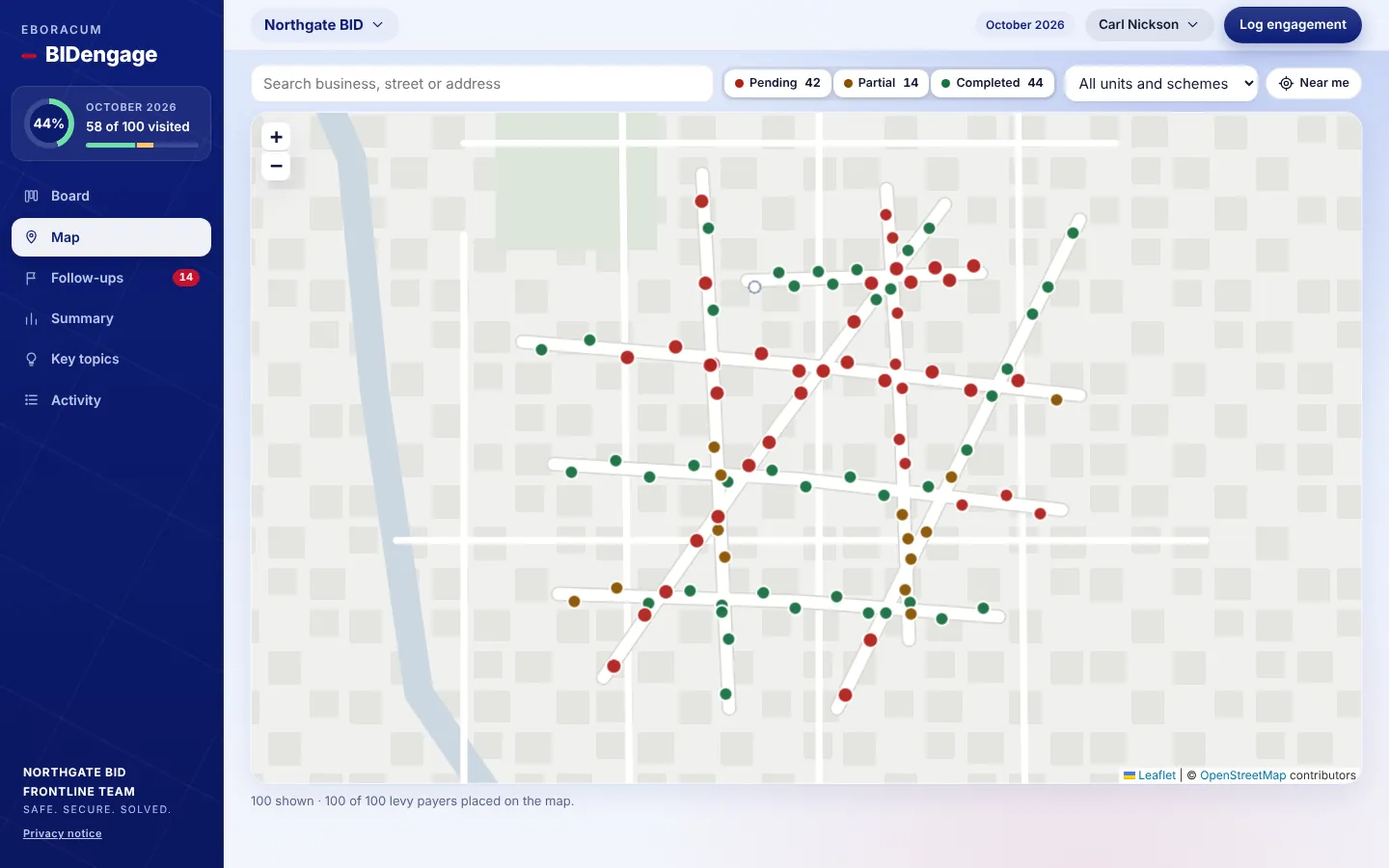
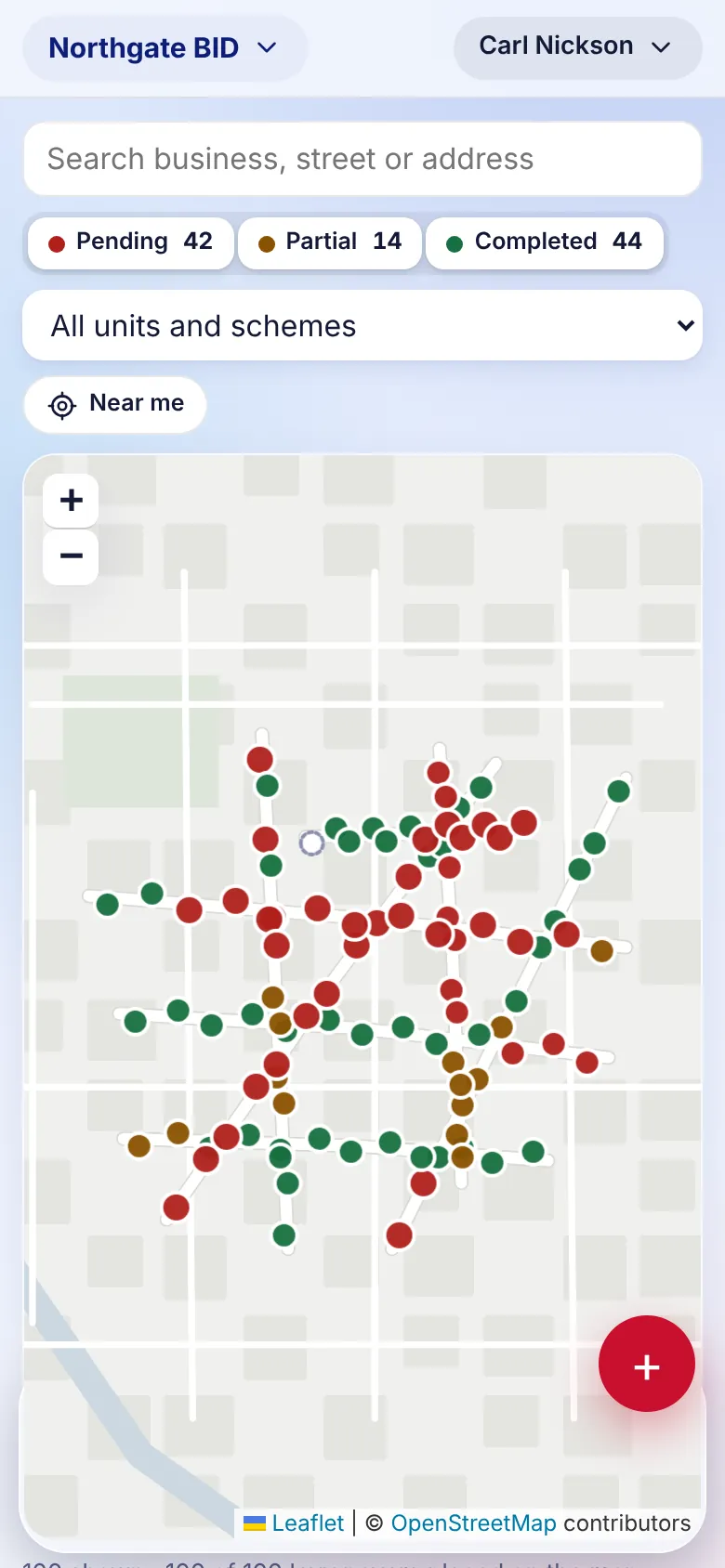
Demo data on an illustrative street plan. The live product uses OpenStreetMap.
For managers
- Pins show each business's status for the round at a glance.
- Filter the map to vacant units or members of a scheme.
- Businesses without a postcode can be placed by street name.
Why it matters
- Plan patrols around the streets that need attention.
- A clear visual for BID boards and partners.
Stop 6 · Follow-ups and messages
Nothing promised gets forgotten
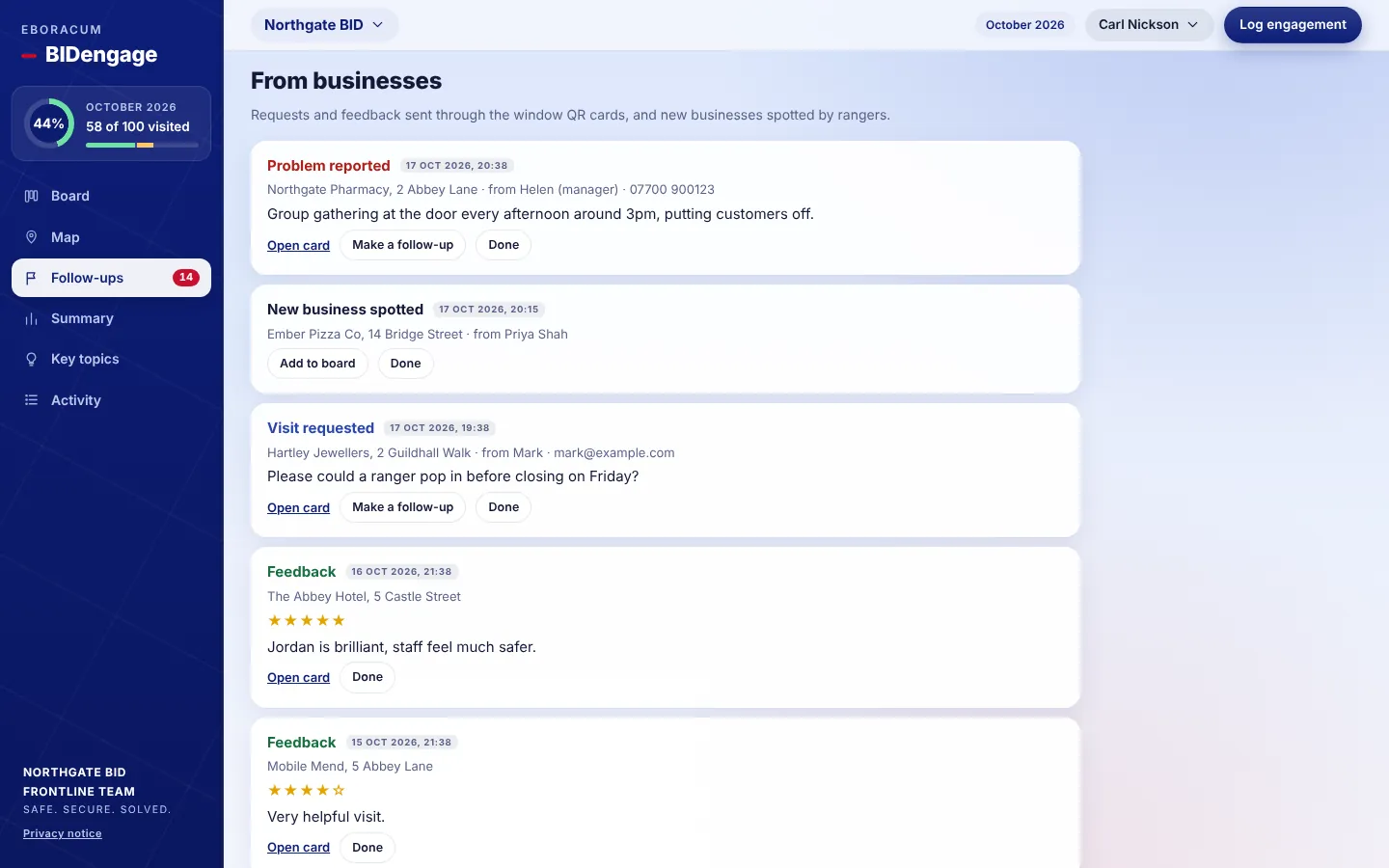
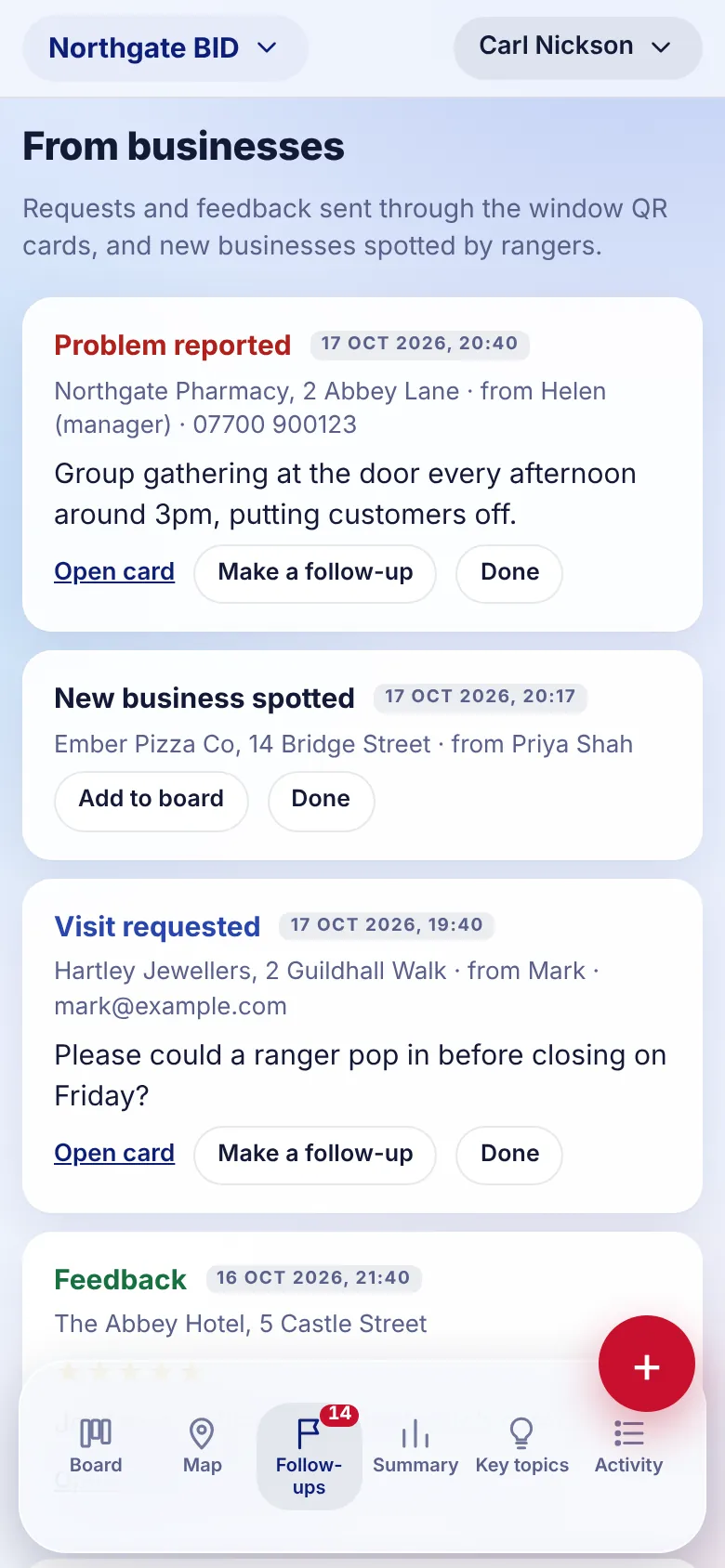
Every "I'll come back on Friday" becomes a follow-up with an owner and a due date. Messages from businesses arrive in the same place: requests for a visit, problems reported, contact details updated and feedback ratings.
For managers
- Turn any message into a follow-up in one tap, or mark it done.
- Overdue follow-ups show in red, and the count sits on the menu badge.
- Add a spotted business to the board without retyping it.
Why it matters
- Businesses see the BID keep its word.
- Requests reach the team even when the officer they spoke to is off shift.
Stop 7 · Window QR cards
A direct line from every shop window
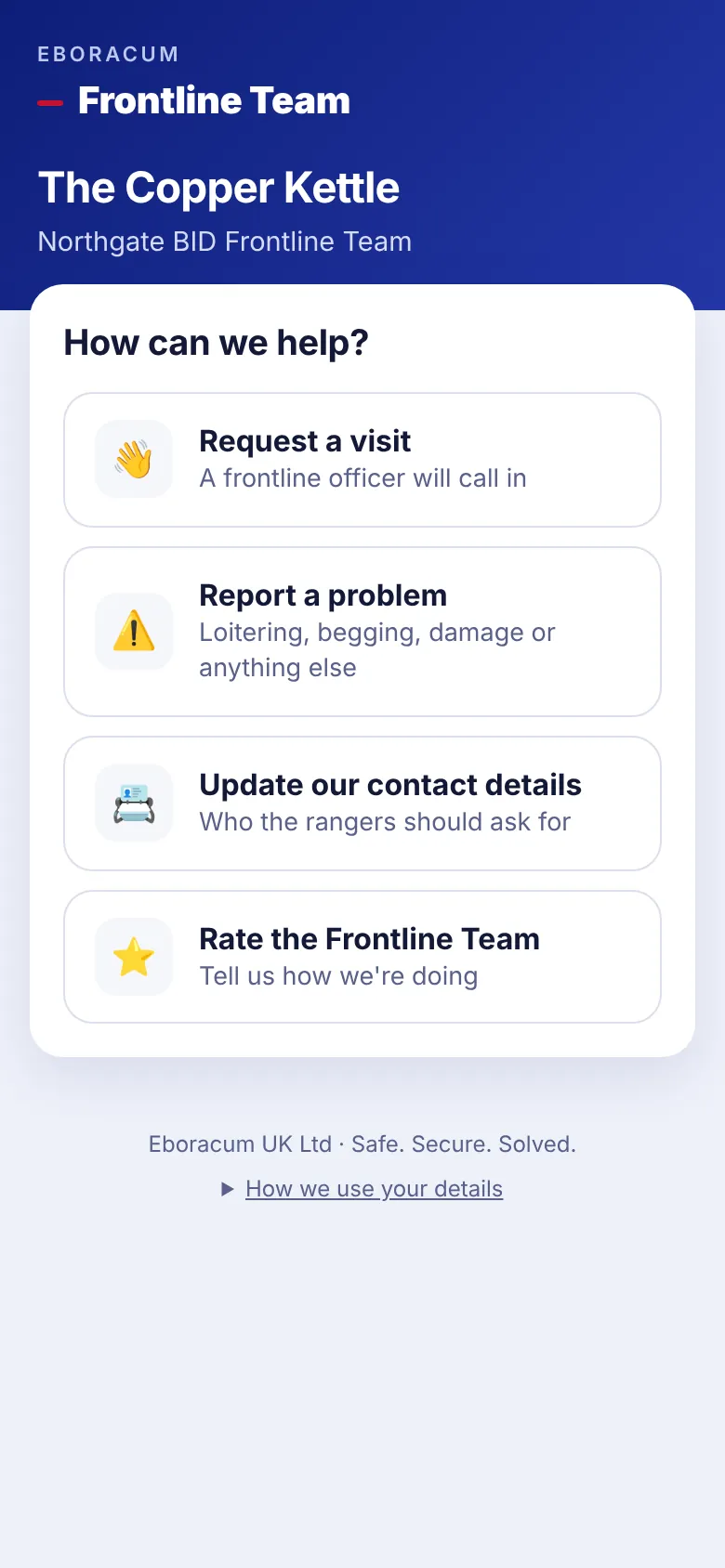
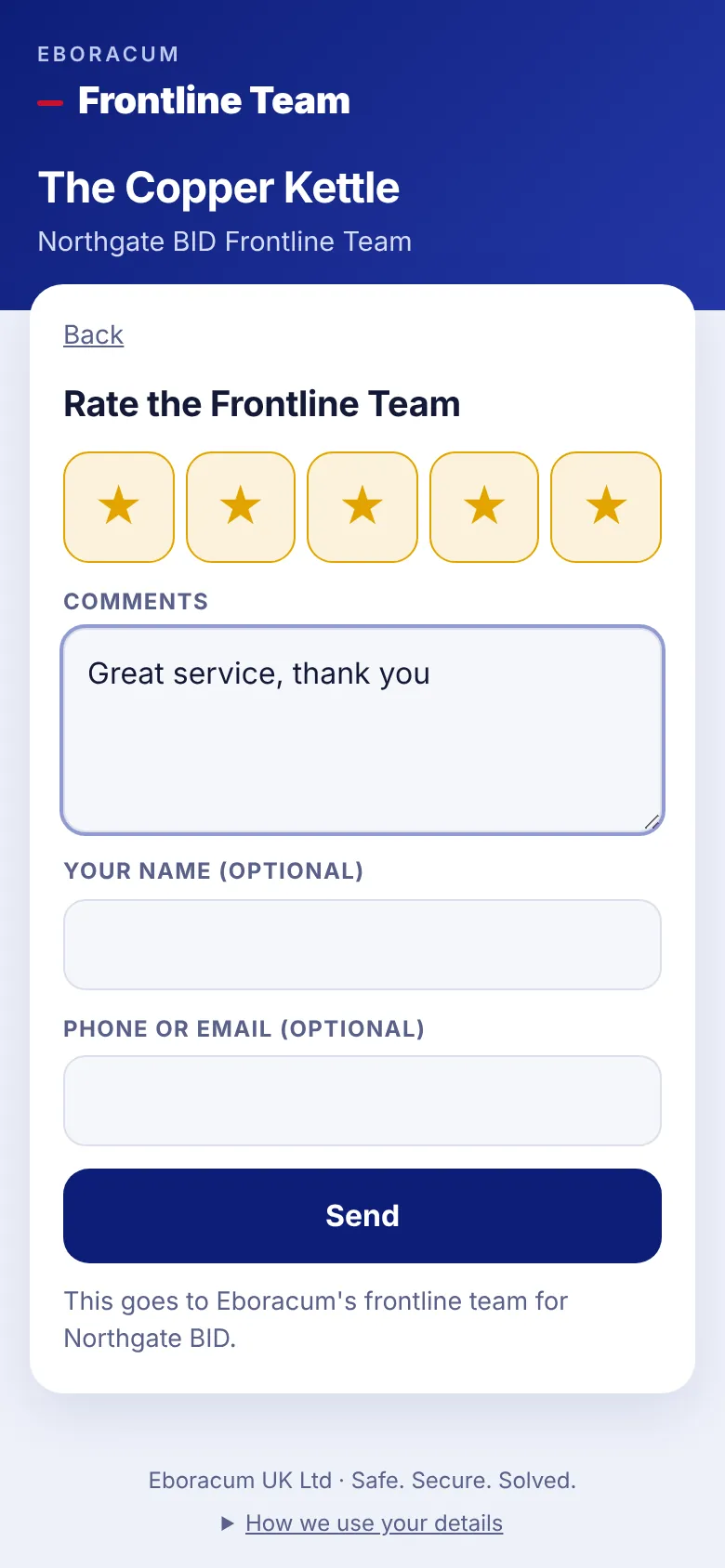
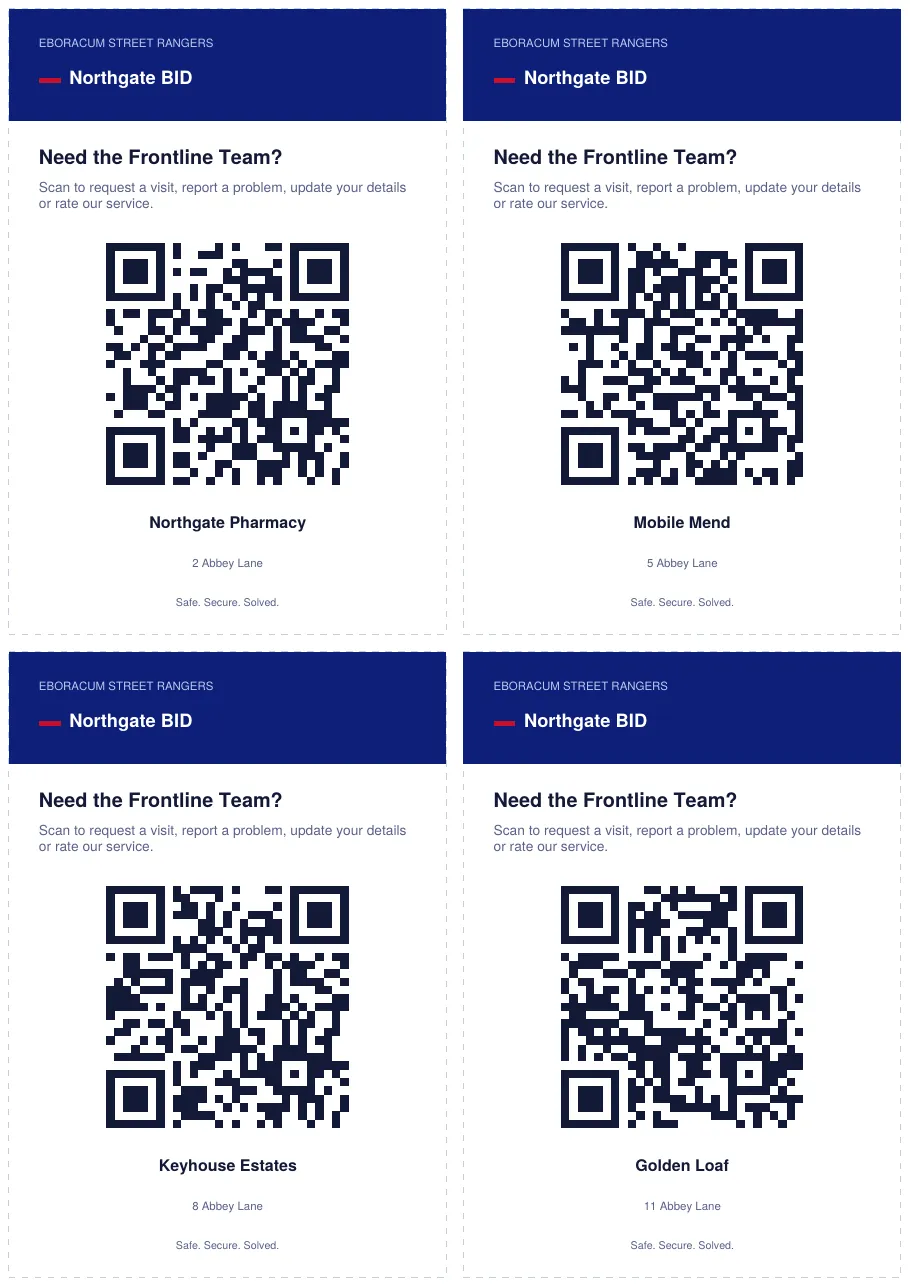
Print a QR card for each business, four to an A4 page. Staff scan it to request a visit, report a problem, update their contact details or rate the frontline team. They don't need a login or an app.
For managers
- Download cards from Manager tools › Window QR cards for all businesses or one street.
- Problem reports warn people to call 999 in an emergency.
- Messages land in Follow-ups, and Eboracum control can be emailed straight away.
Why it matters
- Businesses can reach the service 24/7, not only when an officer walks past.
- Star ratings give the BID independent evidence of satisfaction.
Stop 8 · Incidents
Record a crime and pass it on properly
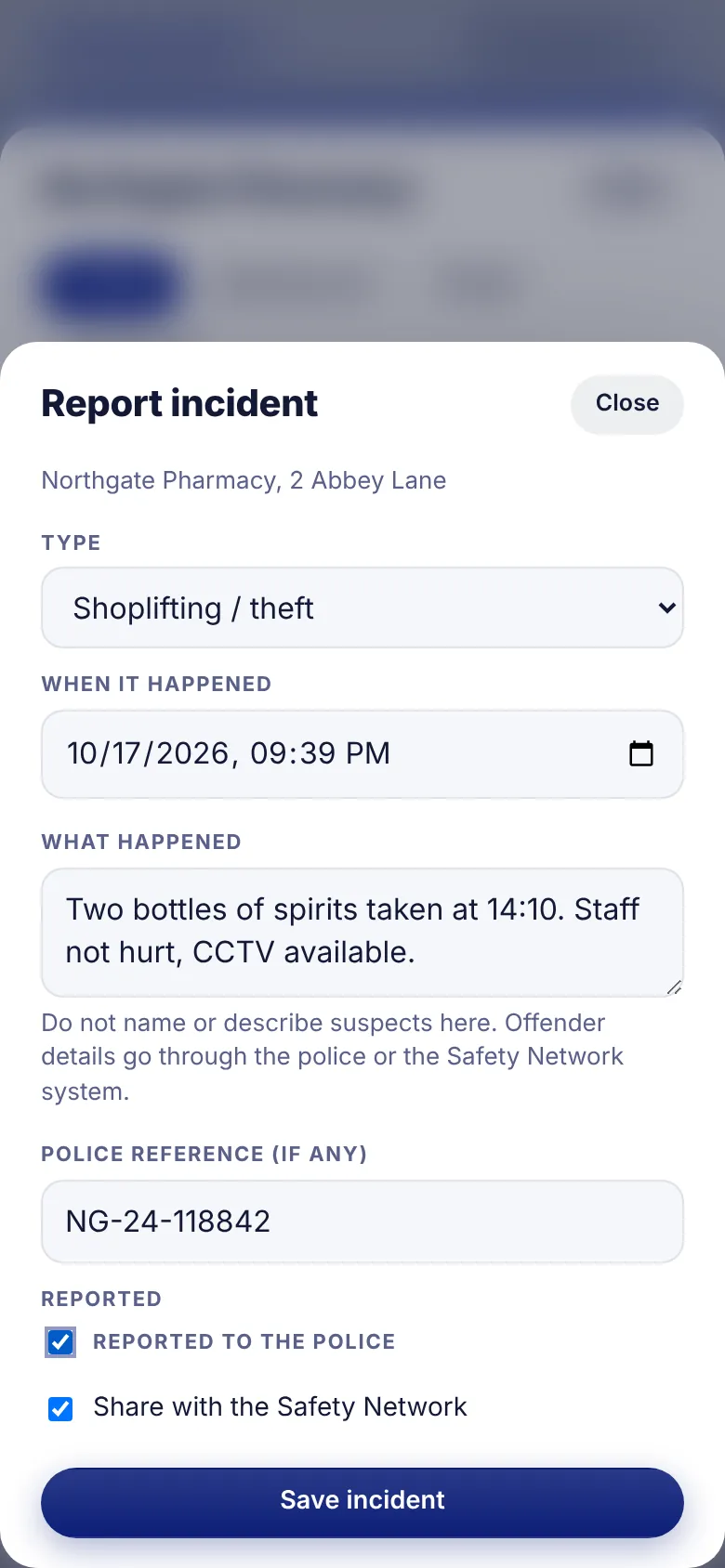
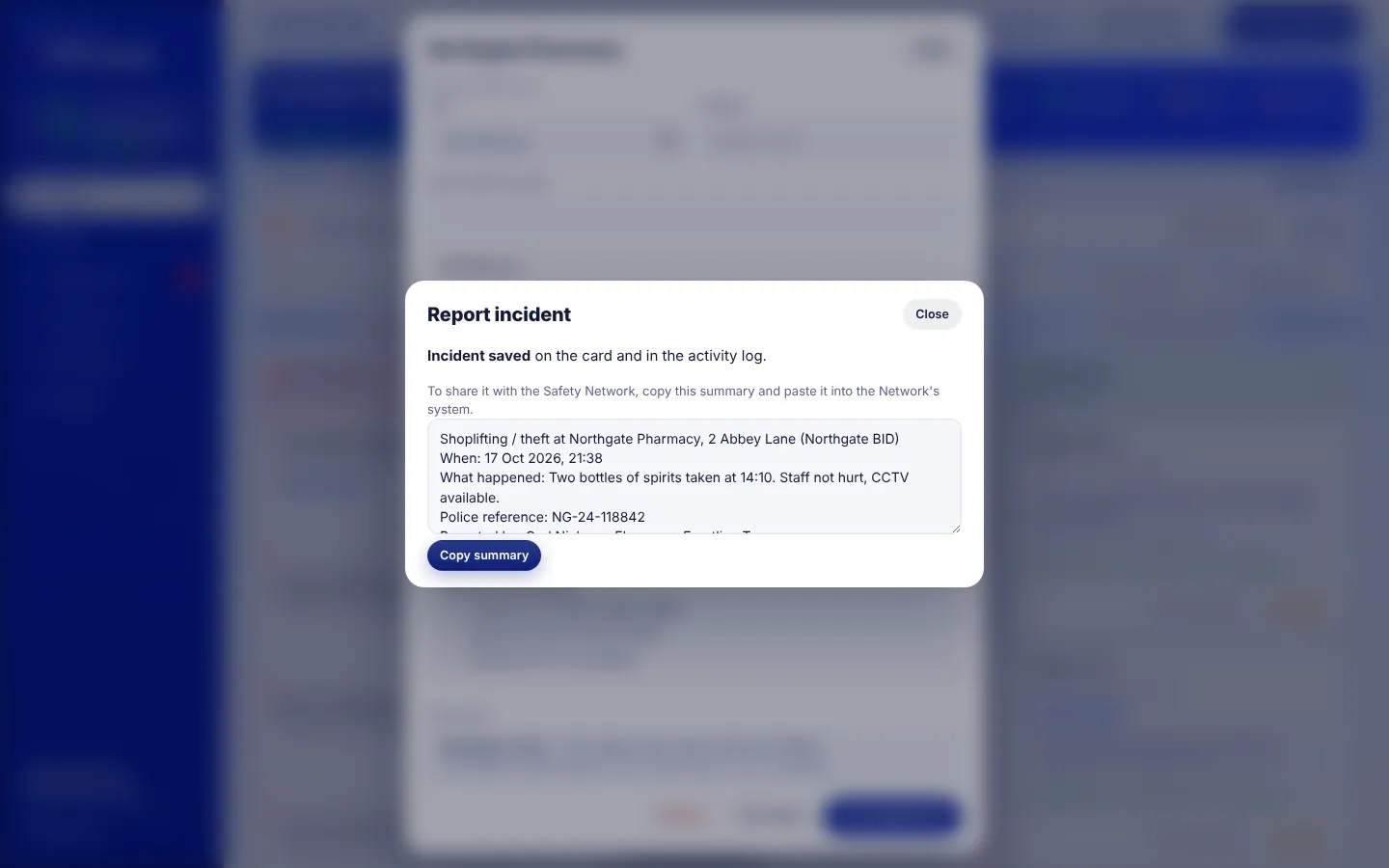
Shoplifting, abuse of staff, anti-social behaviour and damage are recorded against the business with the time, a police reference and whether it was reported. BIDengage then prepares a summary ready to paste into the Safety Network's system.
For managers
- Suspect details are deliberately left out. They belong with the police or the Safety Network system.
- Serious concerns and incidents can email the BID the moment they're logged.
- Incidents appear on the card, in the activity log and in the monthly report.
Why it matters
- Crime trends by street and type, without extra admin.
- Fits alongside your existing BCRP or crime-sharing scheme.
Stop 9 · Campaigns and key topics
Run a themed push and see it land
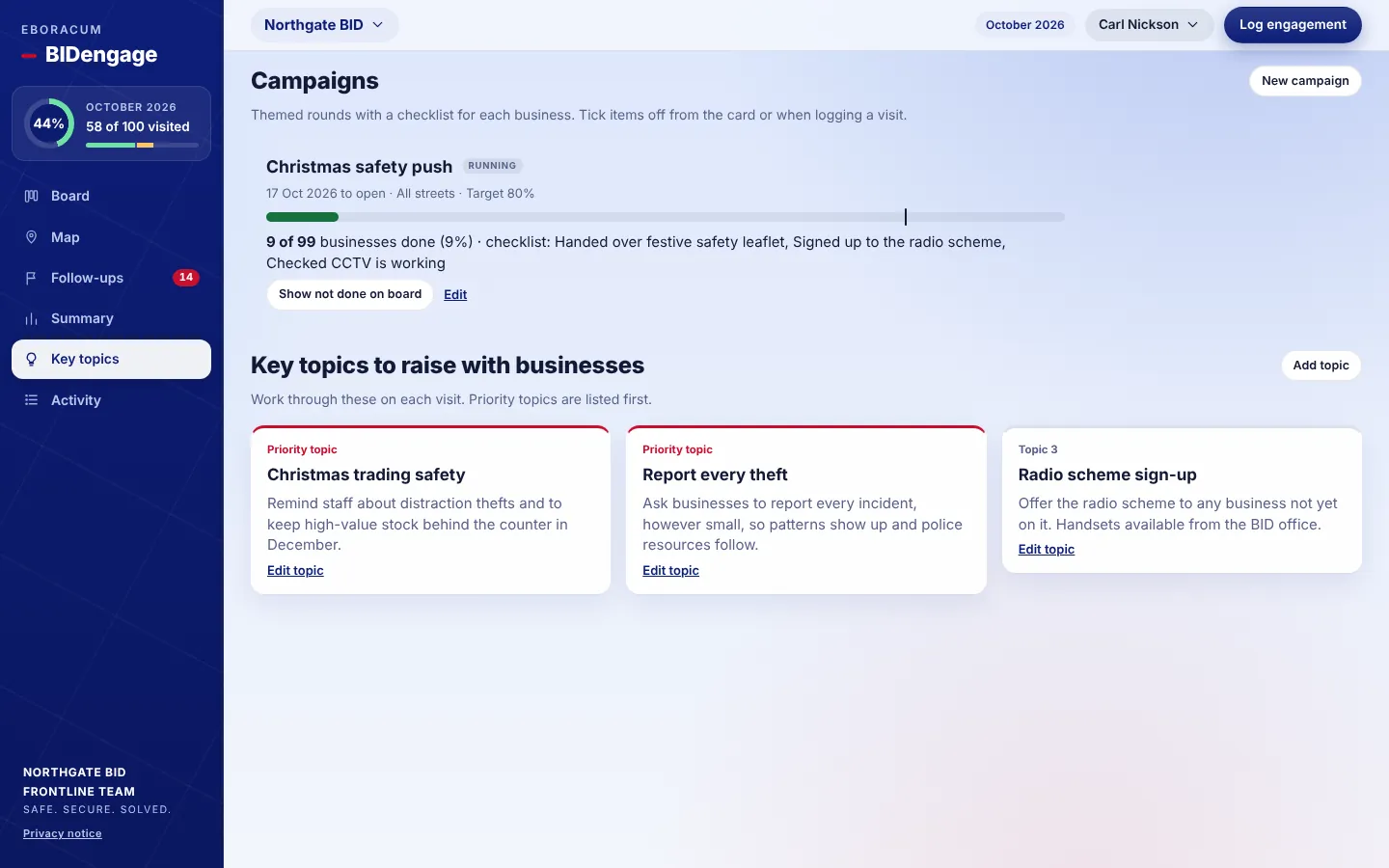
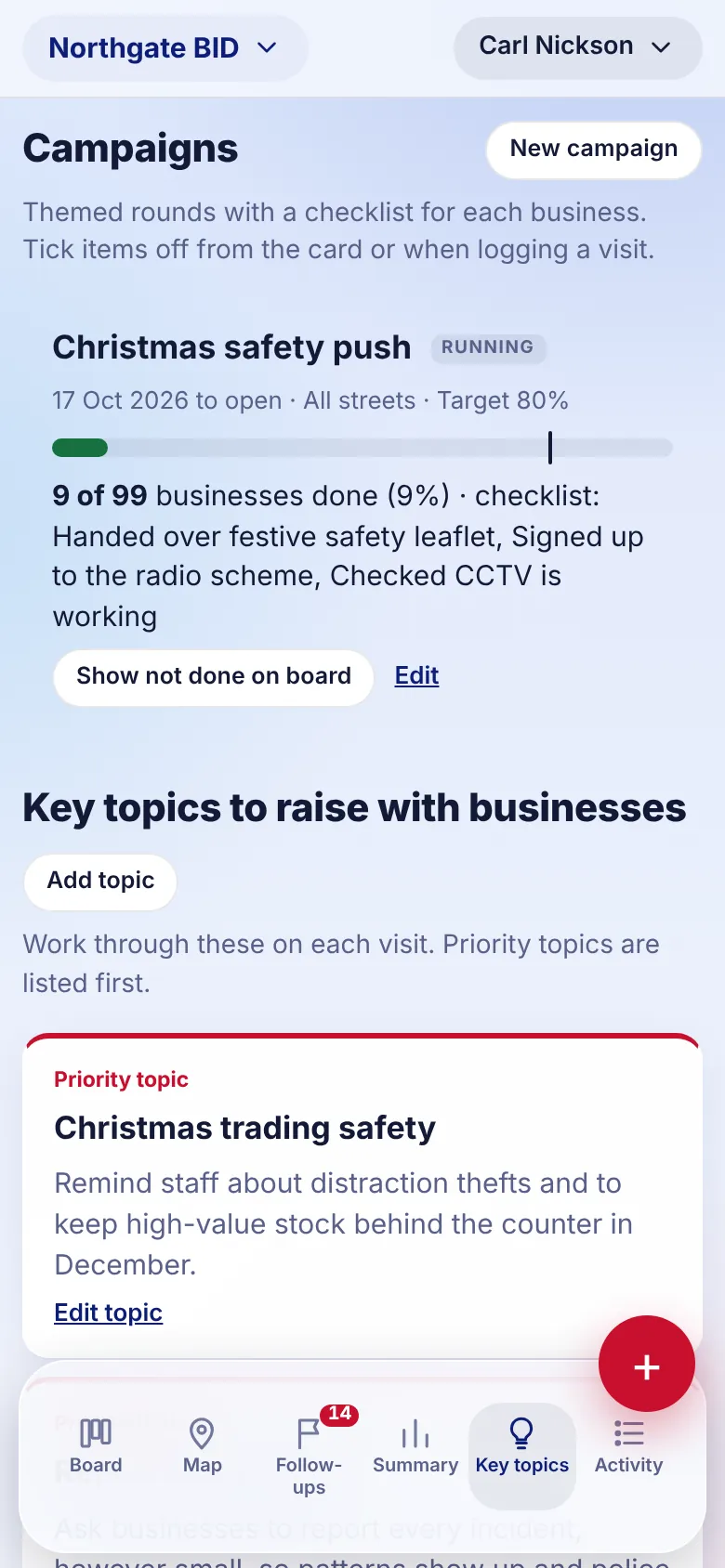
Set up a campaign such as a Christmas safety push, with a checklist for each business and a target. Officers tick items off as they visit, and a progress bar tracks it against the target. Key topics brief the team on what to raise this month.
For managers
- Limit a campaign to certain streets, or run it across the whole BID.
- Show not done on board filters to the businesses still to reach.
- Mark topics as priority so they're listed first.
Why it matters
- Proof that a campaign reached its businesses, with a percentage to report.
- Every officer delivers the same message.
Stop 10 · Summary
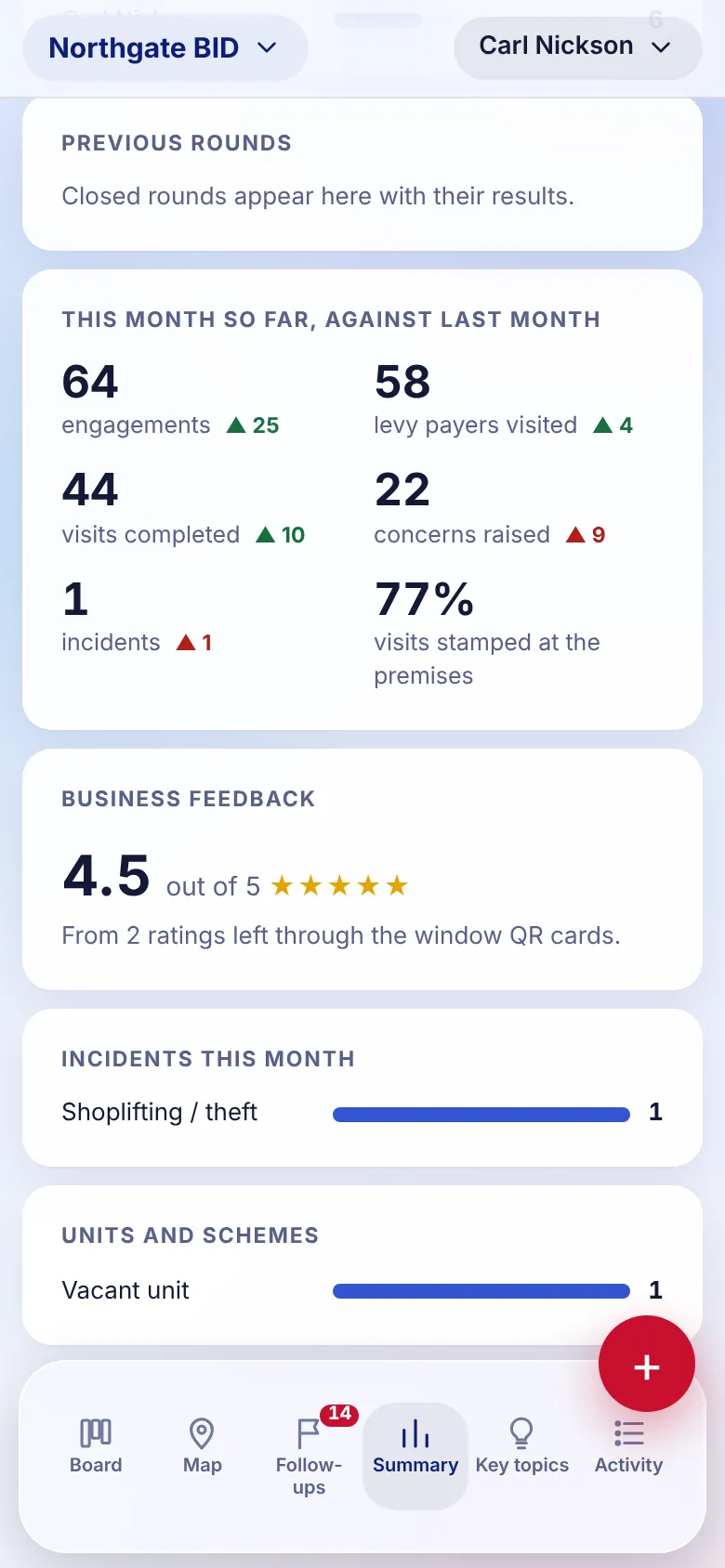
The month in numbers, updated live
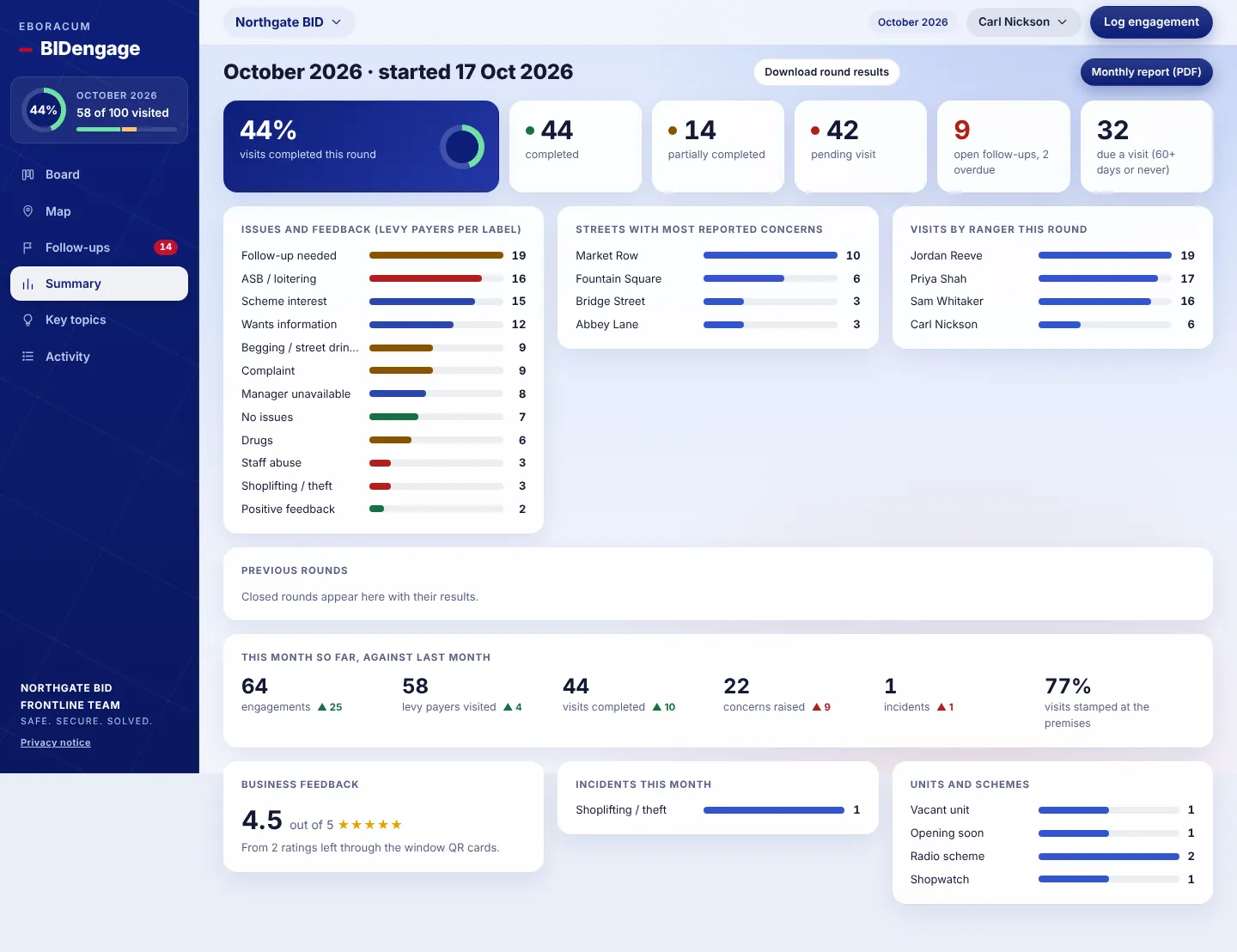
Completion rate, issues raised, the streets with most concerns and visits by officer. Trends compare this month with last month, so you can see whether things are improving.
For managers
- Download round results gives a spreadsheet of every business for the round.
- Feedback scores from the QR cards are averaged here.
- The share of visits stamped at the premises is shown as a percentage.
Why it matters
- Clear evidence of the service's value for levy payers and the BID board.
- Spot an emerging issue on a street before it becomes a pattern.
Stop 11 · Monthly report
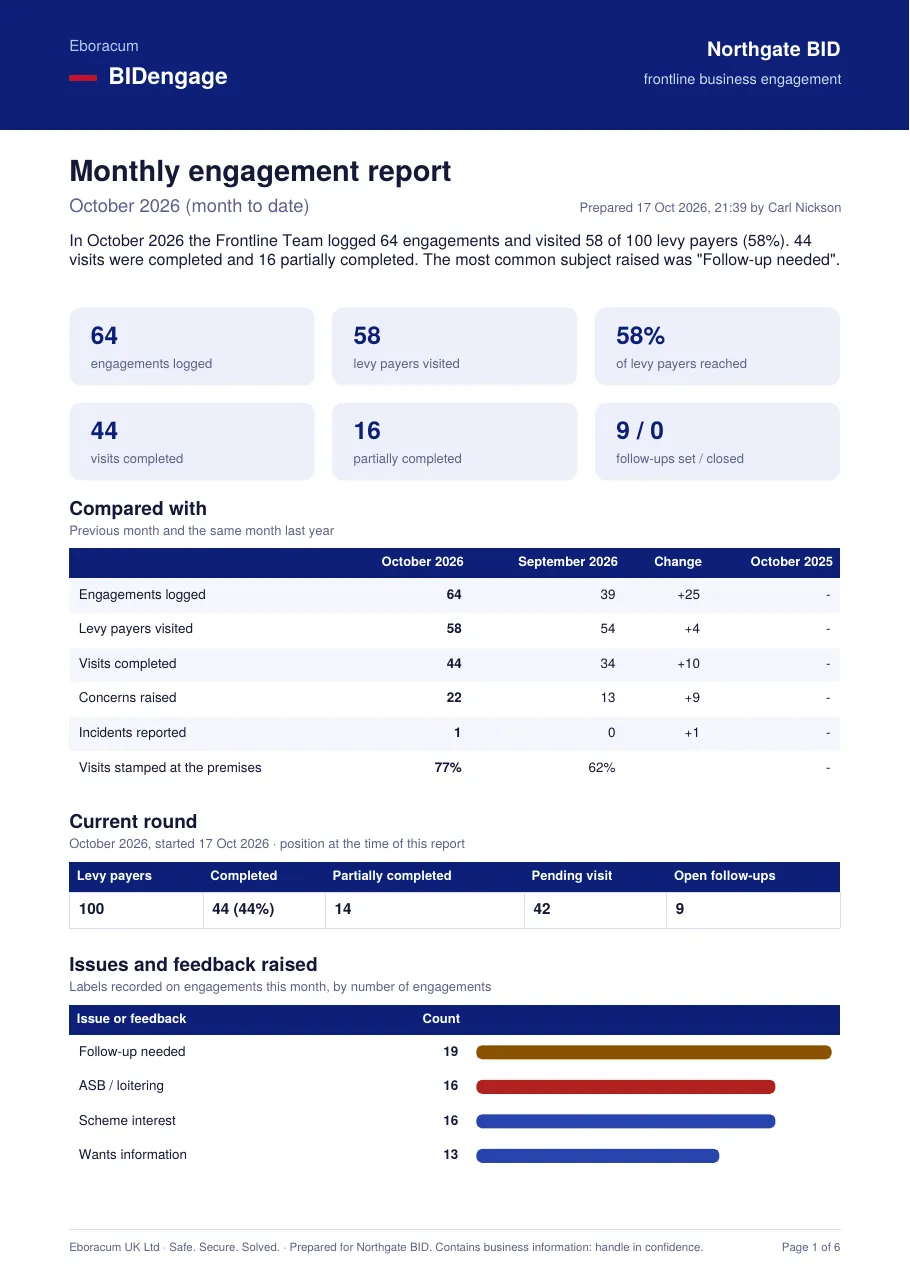
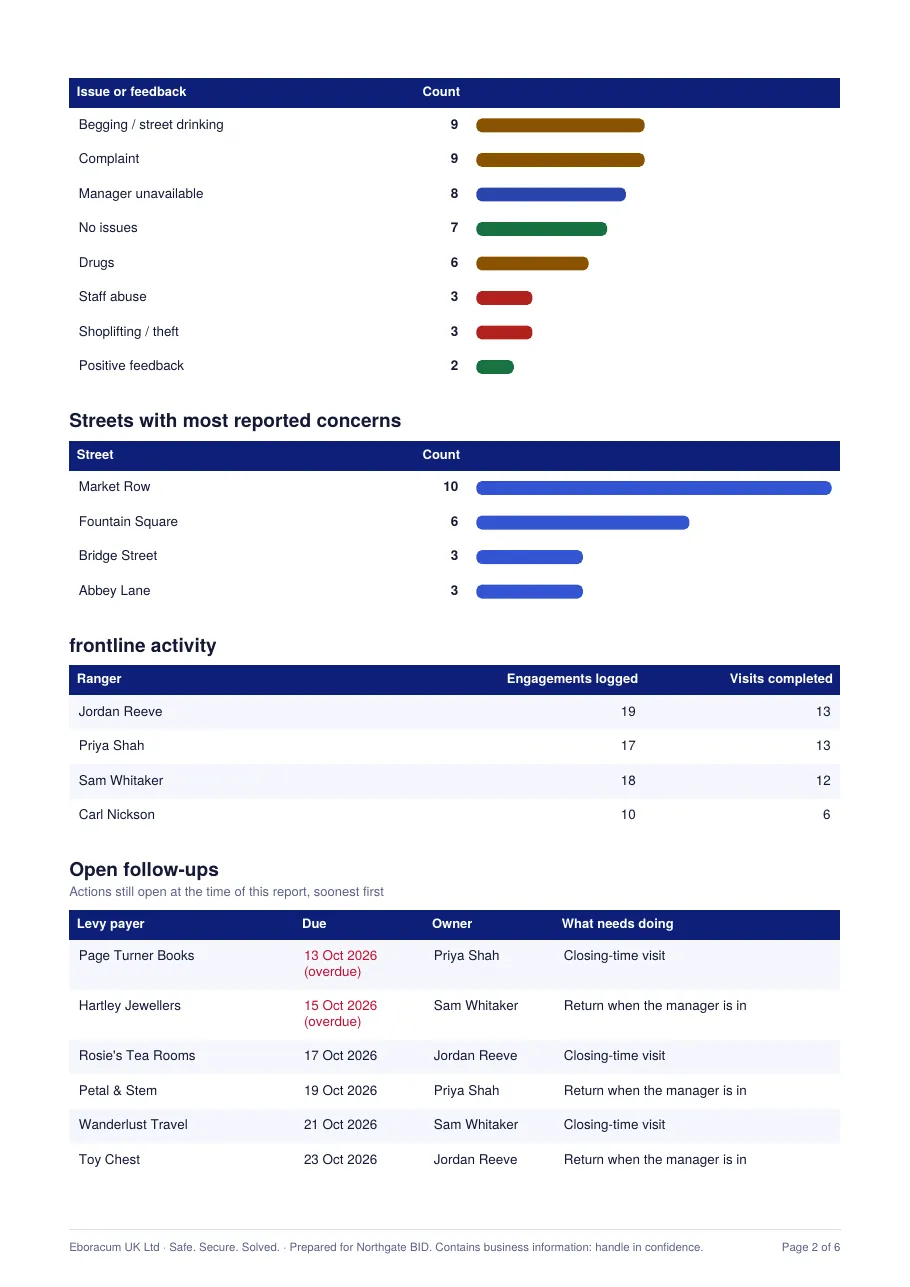
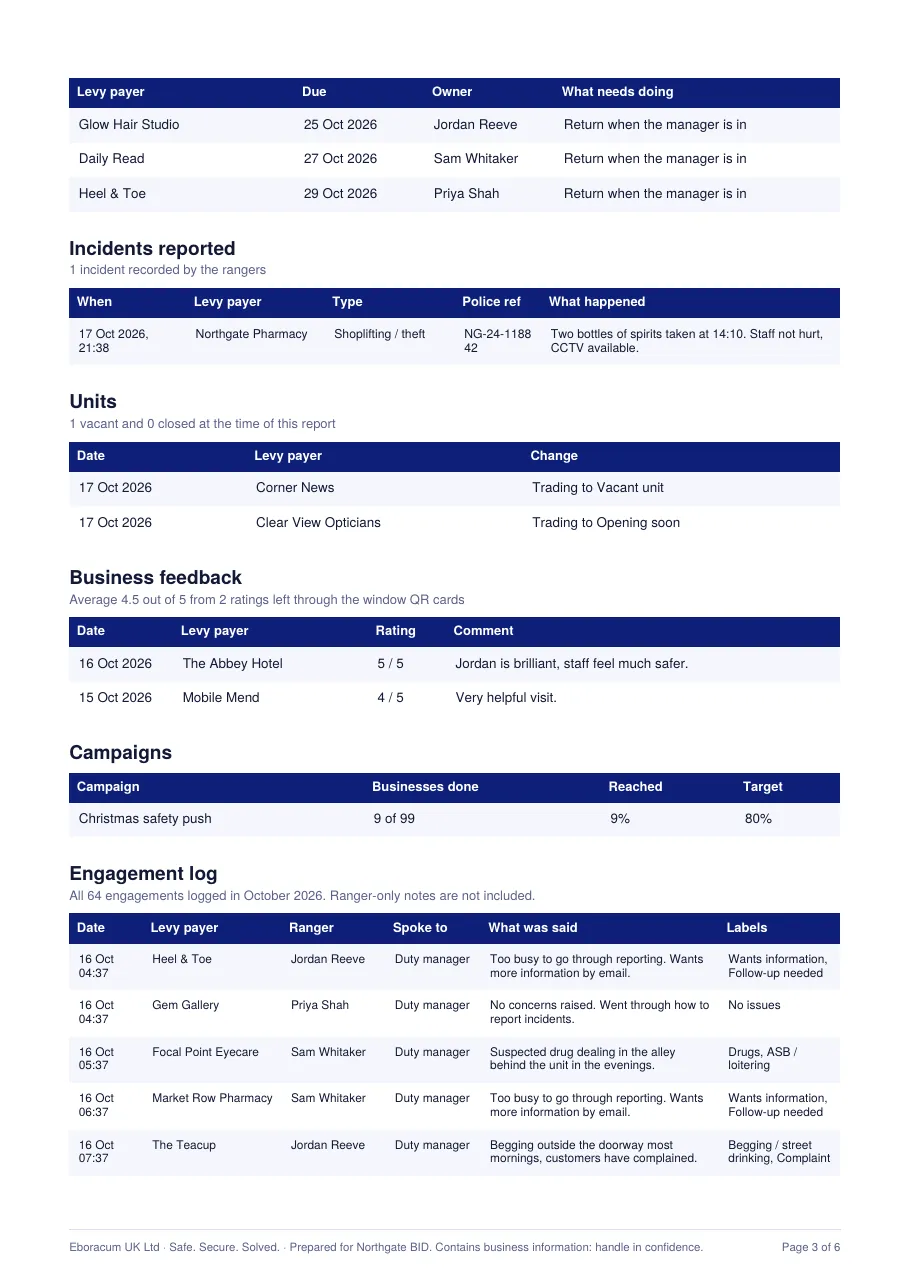
A board-ready PDF in one click
Choose a month and download a branded report. It includes headline figures, a comparison with last month and the same month last year, issues, streets, officer activity, open follow-ups, incidents, units, feedback, campaigns and the full engagement log.
For managers
- Find it under Summary › Monthly report (PDF).
- Team-only notes are always left out.
Why it matters
- No more evenings building reports from spreadsheets.
- Year-on-year comparison is built in from the second year.
Stop 12 · Activity
A full, searchable record
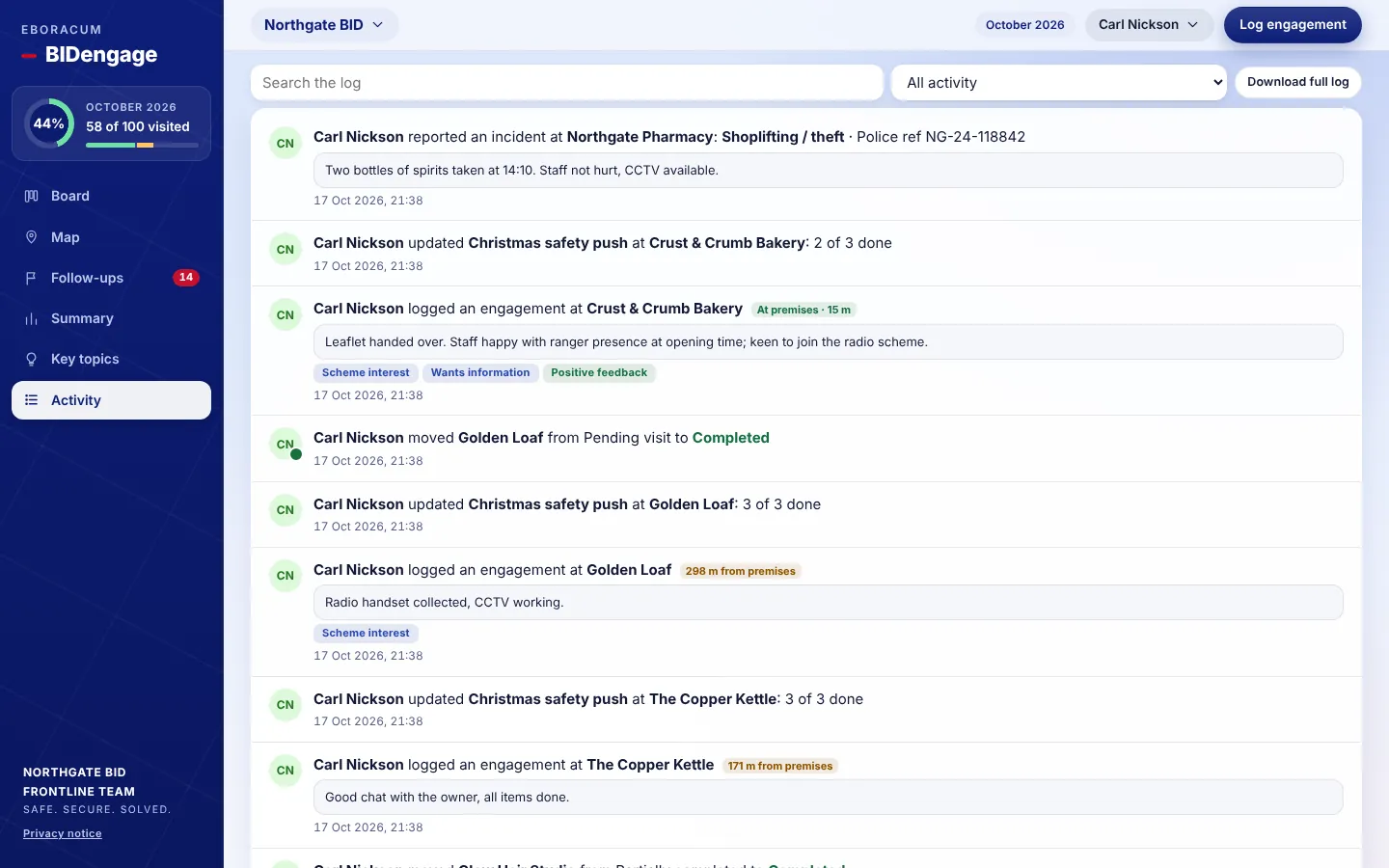
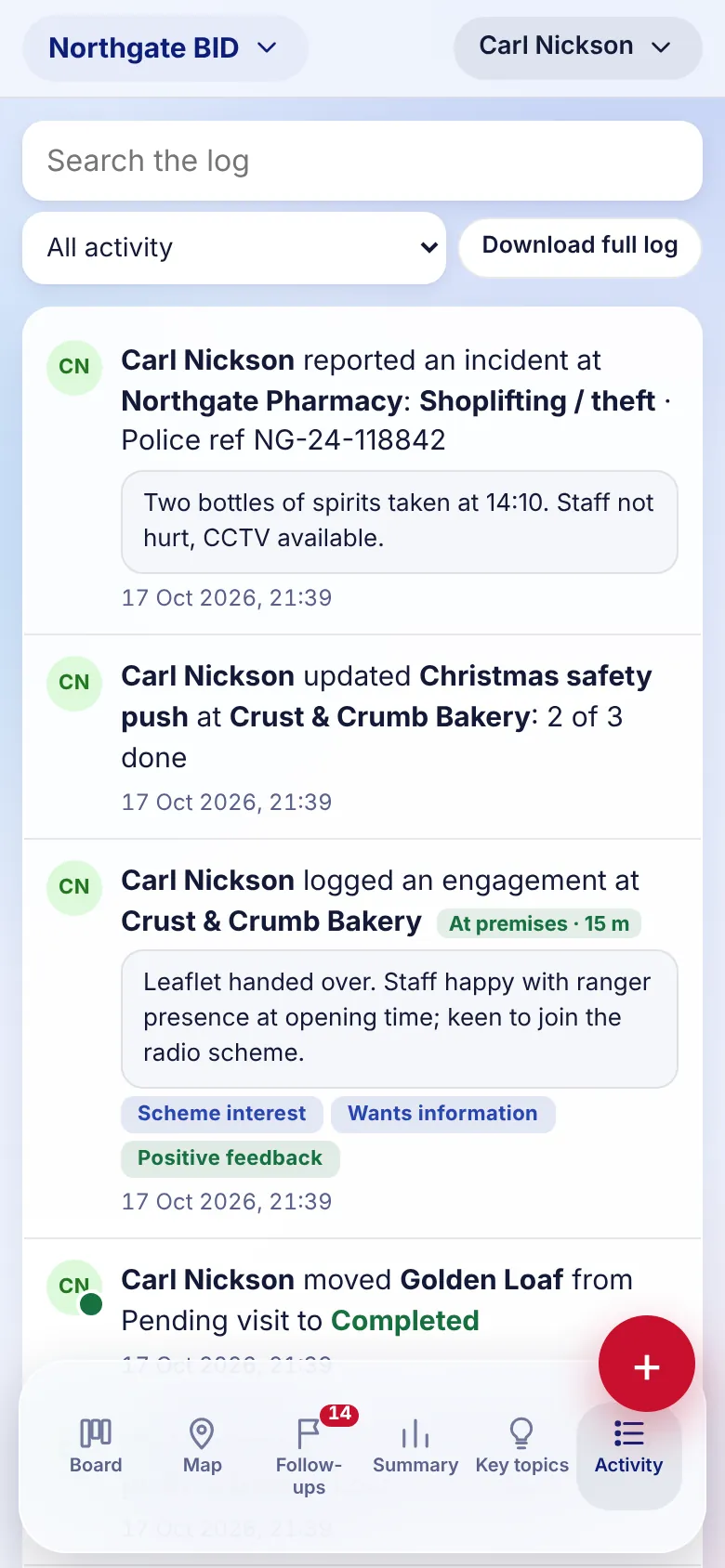
Every visit, status change, follow-up, incident and campaign tick is logged with who did it and when. You can search it, filter it and download it.
For managers
- Filter to engagements, moves, follow-ups or incidents.
- Download full log exports everything for the period.
Why it matters
- A clear audit trail when a business or partner asks what happened.
Stop 13 · Settings, alerts and privacy
Set up for your BID, private by design
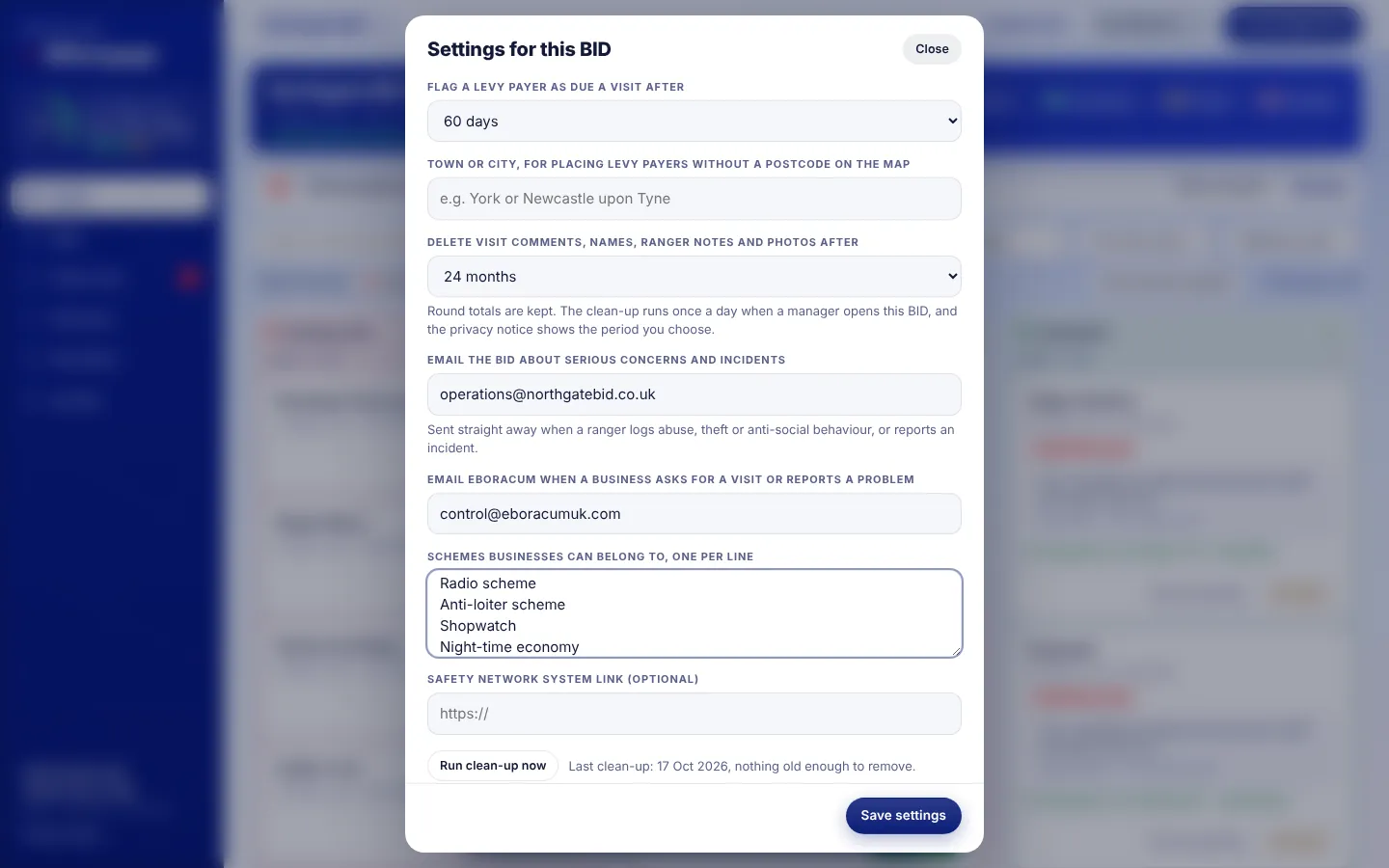
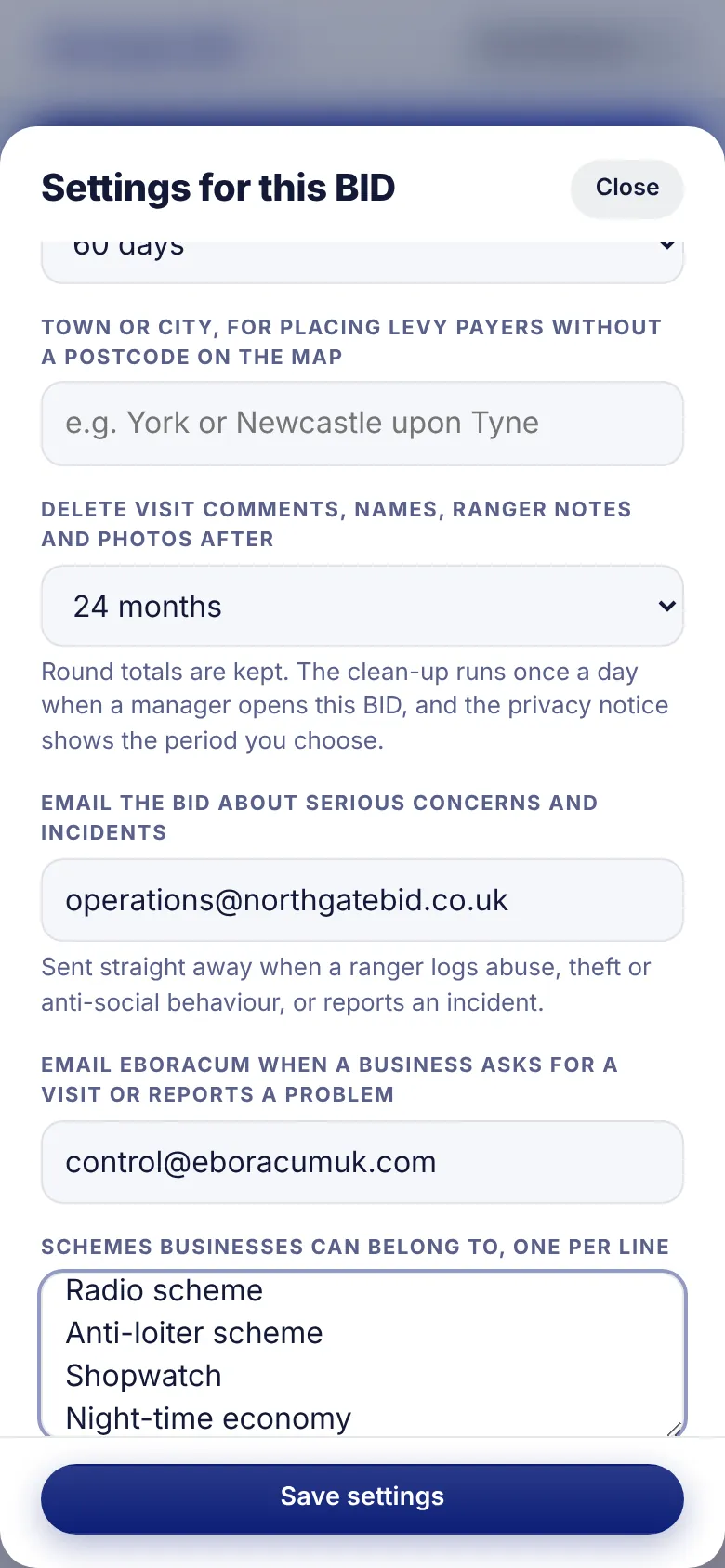
Each BID has its own settings: when a business counts as due a visit, which schemes exist, who gets emailed about serious concerns, and how long comments and photos are kept before they're cleared automatically.
For managers
- Open Manager tools › Settings.
- Add the BID's email addresses for instant alerts about abuse, theft, ASB and incidents.
- Choose a retention period. The clean-up runs automatically, and round totals are kept.
Why it matters
- Built with UK GDPR in mind: a plain-English privacy notice, data minimisation and automatic deletion.
- Data is stored in Google Cloud's London region.
Who uses it
One system, four points of view
On the street
Frontline team
Street Rangers, wardens, ambassadors or community safety officers. They log visits, report incidents and pick up follow-ups from their phone, with or without signal.
Running the service
Managers
Add businesses and people, run campaigns, set alerts and download the reports.
Paying for it
The BID
Sees the live board, summary and report, plus instant alerts about serious concerns.
In the shop
Levy payers
Scan the window card to ask for help, report a problem or rate the service.
Manager quick start
Up and running in an afternoon
Everything a manager needs sits under Manager tools on the board.
- Add or import levy payersPaste or upload the BID's levy payer list. Postcodes place them on the map.
- Invite your teamAdd officers and BID staff under People, and choose who sees which BID.
- Set up the BIDIn Settings, add alert email addresses, schemes, the visit interval and the retention period.
- Print the window QR cardsOfficers hand them out on their next round.
- Brief the monthAdd key topics and, if needed, a campaign with its checklist.
- ReportAt month end, download the monthly report and start the next round.
For BIDs and town centre partnerships
Show levy payers what the BID does for them
BIDengage was built by Eboracum, the team that runs frontline services such as Street Rangers and community safety officers on the ground. It does what a BID engagement service needs, and nothing it doesn't.
Proof of presence
Location-stamped visits and full coverage figures you can put in front of the board.
Faster response
Concerns, incidents and requests reach the right person straight away.
Better renewal story
Month-on-month trends, satisfaction scores and campaign results, all exportable.
Less admin
The monthly report, visit plans and spreadsheets are generated for you.
Easy for officers
Big buttons and suggested labels, and it works with no signal. Quick to learn.
Your data, safeguarded
Role-based access, automatic retention, and hosting in the UK.
- Hosted and maintained by Eboracum. Nothing to install
- Set up for your BID, including your levy payer import
- Multiple BIDs from one account
- Phone, tablet and desktop, installable to the home screen
- Printable window QR cards for every business
- Monthly PDF reports and spreadsheet exports
Contact
See BIDengage with your own streets
Tell us about your BID and we'll set up a demo using your levy payer list.